Advertisements
You can earn from 3D printing without owning a printer: designers make the 3D models that other people download and print. The next page compares the platforms that pay creators, including MakerWorld boosts.
You will stay on this site. No payment or sign-up required.
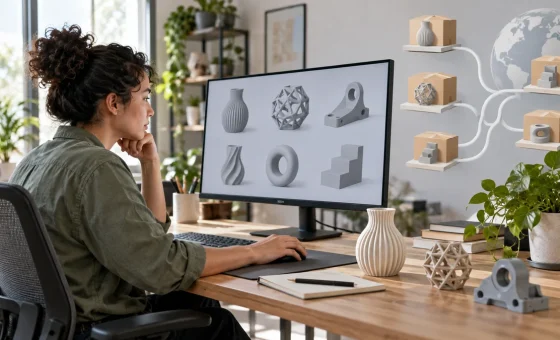
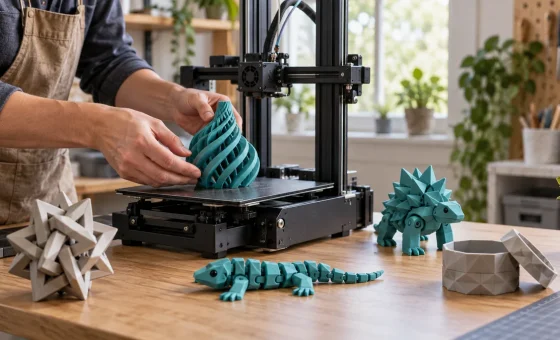
Every flexi toy, fidget spiral and articulated skeleton you see in viral print videos started as a file someone designed on a computer. The person who prints it and the person who designed it are often not the same. That second role, the 3D designer, needs a computer and practice, not a printer.
Why you don’t need a 3D printer to earn
Millions of people already own a printer and are always looking for something new to print: organizers, gifts, toys, replacement parts, decor. They download files from model platforms. When you publish a model there, you can be rewarded when people download it, print it, boost it or buy it, depending on the platform. The printing happens on their machines, not yours.
What 3D modeling actually is
A 3D model is a digital shape saved as a file, usually STL or 3MF. There are two main ways to make one:
- CAD (parametric) modeling: you draw exact shapes with measurements. Best for useful prints: organizers, hooks, brackets, boxes and replacement parts.
- Sculpting and mesh modeling: you shape the model like clay. Best for characters, miniatures, animals and decor.
Free tools to start designing today
- Tinkercad: runs in the browser and builds models from simple blocks. The easiest first step.
- Blender: free and open source, great for sculpting, characters and decor.
- Onshape: professional CAD in the browser; the free plan keeps your documents public.
- FreeCAD: free and open-source parametric CAD for precise parts.
- Fusion: popular CAD with a free personal-use license; selling work made with it needs a commercial license, so check the terms before you sell.
Pick one tool and stay with it for a few weeks. A simple, useful model that prints well is worth more than a complicated one that fails.
How to check that your model prints well, without a printer
- Open the file in a free slicer (Bambu Studio, OrcaSlicer or PrusaSlicer) and look at the layer preview: overhangs, thin walls and floating parts show up right away.
- Keep walls at least about 1 mm thick and avoid overhangs steeper than 45° unless you plan supports.
- Many public libraries and makerspaces have 3D printers you can use for a test print.
- Online print services can print and ship a test piece if you want photos of a real print.
- On model platforms, people who print your design often post photos of their prints, which helps the next visitor decide.
What people look for on model platforms
- Useful prints for home and workshop: organizers, holders, hooks, cable management.
- Print-in-place toys and fidgets that move right off the build plate.
- Seasonal decor and gifts: Halloween, Christmas, Mother’s Day.
- Tabletop miniatures and terrain.
- Replacement parts and accessories for popular products and printers.
Browse the most downloaded models in the category you like, notice what people comment and ask for, and design something that solves that need better.
The main ways designers get paid
- Selling files on marketplaces or your own shop.
- Platform rewards: points for downloads, prints and boosts that turn into gift cards, filament or, on some programs, cash.
- Memberships: fans pay monthly for new models.
- Custom work: people and small businesses pay for a model made to measure.
The next page compares where to publish and how each platform pays, including how MakerWorld boosts work.
FAQ
Can I really earn from 3D printing without a printer?
Yes, by designing the models other people print. Earnings vary a lot and usually start small; check each platform’s current rules.
Do I need to pay for software?
No. Tinkercad, Blender, FreeCAD and Onshape’s free plan cost nothing. Check the license if you plan to sell.
Do I have to pay taxes on what I earn?
Platform payouts and sales are usually taxable income. Keep records and check the rules where you live.